
One link, in your colours, with your logo. It opens on the phone they are already holding. It carries their building in 3D, the specification, what each service actually is, the price — every markup built into the lines, which add up to the total — the payment schedule, and Approve & Sign at the bottom of it. Optional extras sit on the page for the customer to add themselves. Because it is a page rather than a file, revising the estimate updates the same link — there is no version two to email. It is part of the operating system for post-frame and barndominium builders, so it speaks their buyers' language from the first line: span, eave height, pitch, the porch.
Also called: online quote · digital estimate · interactive proposal · customer estimate portal
A link, not a file
It opens on your domain, in your colours, with your logo at the top. Nothing to download and no account to make — and it is not styled quote by quote, because the colours, the logo and the type come off the brand center.

A PDF is frozen the second you export it, and every step between the customer and the price is a place the sale stops.
Because the quote has to survive being forwarded to a spouse, opened in a truck, and read again three weeks later — and a file does none of that well. Why they get in with no password, and how the same address carries them on to the build once the job starts, is set out on one customer link, no password.
Who they're dealing with
Licensed and insured, buildings completed, years in business — stated before the price is.
A big number from an unknown company reads as a risk, and the customer's first instinct is to go and get two more quotes.
A figure is easier to accept from somebody who looks established, and the cheapest place to look established is above the figure.
Their building, in 3D
Try itNot a stock photo of a building that looks a bit like theirs. The one you designed — and they can turn it around, look at the gable end, take the roof off.
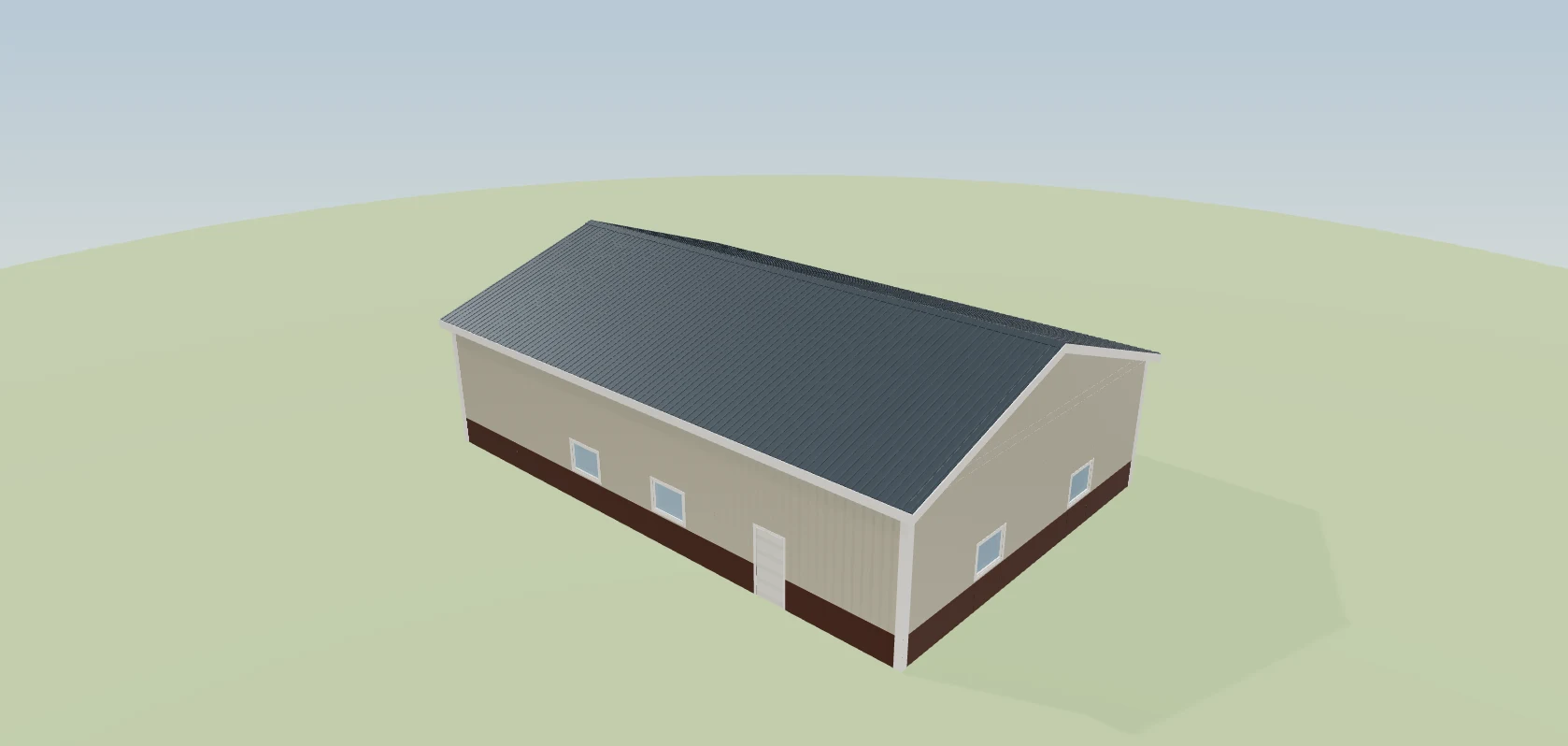
A line reading 40×64×16 asks the customer to imagine it, and half of them imagine something else.
The moment they turn it around, the conversation stops being about a number on a page and starts being about their building.
The specification, in plain words
Size, eave, pitch, openings, slab, overhangs — written out, not left as a drawing they cannot read.
Customers nod at a drawing they cannot read, then discover at framing that they thought the doors were somewhere else.
Everything they are buying should be readable by somebody who has never read a construction drawing — because that is who is signing. Where the design does not answer a row, the sentence that fills it is your wording, per company, rather than post-frame boilerplate on a stud-frame job.
They pick the colours themselves
Try itRoof, walls, wainscot, trim, doors — and the building updates in front of them. How the rows work and how late they can still change their mind is on customer colour selection.
The usual version is three phone calls, a colour chart photographed badly, and a wrong order.
It is the section customers spend longest on, and it settles the colour conversation before it becomes a change order — which is the expensive way to have it.
What each service actually is
Try itBetween the specification and the price sits Services & Add-Ons: the service, how much of it, and the note you wrote for this customer behind Details. Concrete, gutters, insulation, doors — described. No prices in this section — the money for the same lines is itemised under Your Investment.
A line item reading “Concrete Pad — $17,400” invites exactly one question, and it is not a good one.
Two sections, two jobs: this one answers what am I getting, and the price block answers what does it cost. Asked and answered separately, neither has to carry the other's weight.
…and what you choose to show of it
Try itPer service, three switches on your side: the line itself, its measurement, and its unit price. Show Concrete Pad · 2,400 sq ft × $7.25, or Concrete Pad alone. Hiding a line keeps its money inside the customer total — the price does not change, the breakdown does.
One level of detail for every customer means either over-explaining to the ones who don't care or under-explaining to the ones who do.
A builder who bundles labour into a rate needs the unit price hidden. A builder quoting a package needs both hidden. Neither should have to keep a second version of the quote to get it.
They can add the optional extras themselves
Try itA line you mark optional on a SmartBuild-priced estimate sits with the other services, tagged Optional and out of the total — Not in your total · +$13,650.00. The customer presses Add to my project, it moves into its own rows under Your Investment, and the total moves by exactly that much. Remove takes it back out; once the estimate is approved, the choice is locked.
An extra the customer might want either goes in the price and makes the whole quote look expensive, or goes in a second quote they have to ask you for.
People like choosing more than being sold to. A headline price without the extras feels affordable, and adding the approach themselves feels like their idea — which is exactly how an upsell sticks. For you it's a bigger job without a revision.
The price shows its working
Try itMaterials, labour, tax, total — each one a switch. Every markup is built into the line prices, so the lines add up to the total to the cent and there is no markup line to argue with; a builder who sells cost-plus can switch a Markup row on instead. How the markup gets inside the prices is on markup.
One total at the bottom of a PDF invites exactly one question, and it is “why is it so much?”
A customer reading a breakdown that adds up is evaluating a build. One who spots a gap between the lines and the total goes hunting for your margin, and starts to haggle. Built-in prices keep them on the building.
What's due, and when
Deposit, draws, final — on the page, before anybody has committed.
The money conversation gets had on the day you need the deposit — the day you have least leverage and they have most doubt.
In writing, before commitment, is the only comfortable time for either side to have it.
A monthly figure, if they need one
Try itAn optional financing line turns a total into a monthly number.
Some customers genuinely cannot evaluate $68,400 — it is not a number that appears anywhere else in their life.
Nearly everyone can evaluate a payment, and a buyer who can evaluate the number can make a decision instead of postponing one.
The questions you always get, answered
The five things every customer asks, answered on the page.
The same five questions arrive by phone, one at a time, usually on a Monday.
They are answered at two in the morning when the customer is actually thinking about it — which is when the decision is really being made.
What you stand behind
The warranty, in the customer's words rather than a clause reference.
Buried in the contract, the warranty only gets read after the customer has already decided.
It is worth more here, where it is still helping them decide, than in the document they sign afterwards.
They approve on the same page
Try itNo printing, no scanner, no can you send that again in a format I can sign. Approve & Sign is at the bottom of the page they have just read.
The gap between “yes” and a signed document is measured in days, and it is where deals go cold.
The signature is captured at the moment of most conviction — the end of the argument, not a week after it.
The signature lands on the document
Typed legal name, drawn signature, timestamped and stamped onto the record.
An email saying “looks good” is not an approval, and you have to keep it forever in case anyone asks.
What was approved, by whom, at what price and at what time, on one artefact — because that is the question that gets asked when something goes wrong.
Revise it without resending it
Try itChange the estimate and the same link shows the new one. Fixing a price after the quote has gone out does not mean a second email or a fresh link — sending the estimate covers why you only ever send the thing once.
Three PDFs called final, final-2 and final-USE-THIS, and the customer signs whichever one they happen to open.
Exactly one version is live, so the version they can reach is the only version they can sign. Each one is a dated snapshot rather than a figure that keeps recalculating behind you, and the design becomes the estimate sets out why that freeze is deliberate.
See exactly what changed, in two colours
Try itEvery revision is kept and dated. On an estimate synced from SmartBuild, pick any two versions and each one takes a colour — blue for the first, amber for the second — which every figure on the panel then wears. On an estimate built in Leads 2 Build, Compare lists the price difference, what changed in the building and the lines behind it. Either way the full side-by-side is builder's work, so it lives with the revision history.
“Why is it four thousand more than last time?” arrives on the phone mid-sentence and gets answered from memory by whoever picked up, so the customer decides the price moves depending on who they ask.
Colour is doing real work rather than decorating: with two totals of the same job on one screen, attaching a figure to the wrong version is the only mistake still available, and the colour takes it away.
And you are told if they approve one that isn't live
Only one version is ever live, but a customer can be sitting on an older link in an old email. If what they approved is not what is currently live, the job says so on your side — and the warning is a version matter rather than something the customer's page shows, so it is covered in the revision history.
The customer forwards themselves the estimate in March, approves it in May from the March email, and the builder — who revised it twice in April — books the job at the current figure. Nobody finds out until the first invoice does not match what the customer thinks they signed.
Because this is the failure that costs real money and gives no warning: everybody believes the deal is agreed, and the number the customer agreed to is one revision old. Catching it at approval is a two-minute conversation; catching it at invoicing is a renegotiation.
Price a change without touching what they can see
Try itDraft a new version, move whatever you like, and the live link does not budge. You can see what it would do to the total before anybody else can — then either send it or throw it away. Sending is what makes it live, not saving it.
Working out what a change is worth means editing the live estimate, which the customer might open at any moment. So the builder either does the sum on paper and quotes it roughly, or edits the real thing and hopes nobody refreshes.
Because the useful moment to ask “what if we dropped the wainscot” is while you are on the phone with them, and every tool that makes you commit before you can see the number turns that into a callback. Separating draft from live is what lets you answer immediately without risking the version they are looking at.
You can see that they looked
Opened, when, and how many times — per person you sent it to. Which version actually left the building, who it went to and whether it landed is stamped on the send itself, over on review and send.
Silence after sending a quote is ambiguous, and the two things it can mean need opposite follow-ups.
A customer who has read it four times and one who has never opened it are completely different phone calls. Without this you make the same call to both and get it wrong half the time.
A monthly figure under the total, on the same page as the price
Under Customer Total sits one more line: as low as $1,915 a month, amortised off this customer's own total over your term. The rate and the months are printed beside it, so nobody is shown a payment with nothing behind it.
A six-figure total is a number most buyers cannot place against anything else in their life, so the decision gets parked until a lender conversation they have not booked yet.
It is a real amortisation of the real figure rather than a rounded teaser, because the number gets repeated to a bank and has to survive being checked there. Putting it directly beneath the total, rather than in its own section, keeps it reading as the same price said another way.
Your lender's rate, not a number baked in for everybody
The APR and the term come from your own settings, so a builder with a real lender relationship advertises the terms their customers can actually get. Left unset it falls back to 8.5% over 60 months — which used to be the only figure the platform had.
Your lender does 6.9% over 84 months, the quote advertises 8.5% over 60, and the payment your customer reads is worse than the one you could actually get them.
The rate is stored as a decimal rather than a percent, in a column that will not hold anything at ten or above — so a percentage pasted in raw is refused outright instead of being printed on a customer's quote as a three-figure APR. Set nothing and the page still falls back to 8.5% over 60 months, which is what every account used to get whether it fitted them or not.
The disclaimer sits under the number, not in a footer
Try itDirectly beneath the payment: illustrative only, based on this rate over this term, actual terms vary by lender and credit, and we are not a lender. It rides in the same box as the figure, so it travels wherever the page is forwarded.
The customer repeats “they said about two thousand a month” to their bank, gets quoted more, and comes back believing you sold them a rate you never had.
A monthly figure said out loud by a rep is where a complaint starts. Written under the number with its assumptions attached, it is a statement the customer can re-read — which is the whole reason it is not in a footer nobody scrolls to.
It is a switch of its own, and it comes off entirely
Try itThe financing block switches independently of the total above it. Builders selling to farmers paying cash simply do not show it, and builders with no lender partner never advertise terms they cannot supply — the rest of what the customer sees works the same way.
A cash buyer reads a monthly payment under a price he was going to write one cheque for, and the first thing he asks about is interest he was never going to pay.
It is its own row under Your Investment rather than a child of the total, because showing the price and offering a payment are two different decisions. With the total hidden the box takes its own divider instead of floating loose on the page.
Your warranty paragraph is typed once, not per quote
Try itThe warranty block, the why-choose-us cards, the FAQ and the contact footer are set once for your company and appear on every estimate you send, each one overridable for a single odd job. Getting the plan set and the walkthrough video up there in the first place — the size limit, and who on your side is allowed to upload — is on the customer link page.
You retype the same warranty paragraph into every quote, and by spring the copy on a job you sold in October says something different from the one you sent this morning.
Set once and overridable per job, so an unusual build can carry different terms without anyone touching the version every other customer reads.
The five questions every buyer asks, answered on the quote
Try itHow long does the build take. What is included. What about permits. Can I make changes after approval. What warranty do you offer. Five fold-outs at the bottom of the quote, written for you when the account opens and editable per company and per job.
Answered out loud, those five come out slightly different every time, and when the customer remembers the permit conversation differently in week three there is nothing to point back at.
They ship pre-written so a new builder's quote is never a blank page, and each can be re-cut for a single job, so a longer build says so on its own document instead of in a phone call nobody wrote down. A written answer under the price is a promise the customer can re-read; a spoken one is not.
Years in business and buildings completed update themselves
A slow rail under the header carries licensed and insured, your rating, and two counts that work themselves out: buildings completed from your own finished jobs, years in business from your start year. Nobody has to bump a number on a quote template every January.
Nothing on your quote says you are licensed, insured and eleven years deep, so a buyer holding three pieces of paper has only the price to compare them on.
The claims are picked from a prepared list of twenty rather than typed into a box, which is what keeps the counts that should move wired to your own record while the fixed ones stay fixed. The completed count rounds down to the nearest five, because a count worked out to the unit reads as a boast; hovering pauses the rail, and a visitor who has asked for less motion gets a still layout instead.
One field controls the number on every customer screen
The phone in the quote footer and the call button on the live dashboard both read your Business Info number and nothing else. There is no backup chain, and leaving the field blank renders no number and no button at all.
You change your business line and the old one is still sitting on live estimate pages, on dashboard call buttons and on every quote you sent last month, each holding its own copy.
Backup chains are how a quote ends up printing a personal number somebody replaced two years ago — or, once, the customer's own line, telling them to ring themselves. Rendering nothing when the field is blank is the deliberate call: a missing number reads as an oversight, a wrong one reads as a builder who does not answer.
- 1You send one link, on your own domain, in your own branding
- 2They open it on a phone — no login, no download, no app
- 3The hero is their building, which they can turn around
- 4The price shows exactly the lines you chose to show, with every markup built into them
- 5Optional extras can be added to the project by the customer, and the total moves with them
- 6The payment schedule states what is due and when
- 7They approve and sign on the same page, at the moment they are convinced
- 8Revise it and the same link shows the new one — nothing to resend
A PDF is frozen the second you export it. Change the price and you have to send another one, and now the customer has two — and the one they forward to their spouse is the wrong one. It also cannot answer a single question, so every quote generates the same three calls: what's included, can you show me, when do I pay. A page answers those before they are asked, and it does something a PDF structurally cannot: it tells you they opened it. The quote stops being a thing you send into silence.
- A quote that is out of date the moment anything changes
- Two versions of the same price in one customer's inbox
- No idea whether a quote was read or ignored
- Printing, scanning and posting to get one signature
- Line items that don't add up to the total
- Extras that need a second quote
The building stated in figures at the top of the quote
A row of hard figures in stamped-metal type. Long values are cut down so they scan — a dimension sentence becomes 60 by 80 by 16 feet, and a paragraph about the roof becomes the pitch. A figure with no value is left out, so a light quote shows three cells rather than three blanks.
Your Custom Building spec sheet
The rows a builder writes on a real quote: dimensions, square footage, support structure, siding, roofing, overhangs, concrete, openings and attached buildings. The list changes with the frame — post frame and stud frame get different rows. Anything the design does not answer falls back to wording you set once, so the sheet never shows a gap.
Services and add-ons described, not priced
Each add-on listed by name, with its measurement and rate shown only if you allow it, and a Details link that opens the note you wrote for this one buyer. No dollar figures here at all. The section sits right after the building and before the money.
Your Investment breakdown
A price block where every row has its own switch. Add-ons show as a category with a subtotal, then each line beneath it. Hiding a row never changes what the customer owes — it only stops itemising it. The customer total is always the biggest figure on the page.
Your draw schedule on the quote
Every stage listed with the dollar figure it works out to, shown as progress dots. It uses the stages you set up, not a stock thirty-sixty-ten. The deposit wording on the customer's journey copy reads off your first stage, so no number is ever hardcoded.
How long this price stands, counting down
Days, hours, minutes and seconds, ticking, thirty days by default. It turns amber inside 48 hours and red inside 24. Approve after that and the customer is told plainly to ask you for a new link. A job already approved never expires — that link is their dashboard now.
Plans and blueprints on the quote and the agreement
Drawings render right on the page; everything else lands as a View / Download row. The section stays hidden until you attach something and switch it on, because not every send has a plan set. Big files go through — a full plan set or a real walkthrough video does not bounce.
Trust strip under the quote header
Short lines with icons, drifting sideways under the header. Buildings completed counts itself from your finished jobs. Years in business counts itself from the year you started. Hovering pauses it, and anyone who has asked their device for less motion gets a still version.
Testimonials with photo and video
Three shapes in the same frame: text only, photo with a quote, or a video. You choose whether a photo is left uncropped or forced to a shape so a row lines up. A photo or video that fails quietly falls back to the words rather than showing a broken picture.
See exactly what the customer signed
Client Estimate in your estimates list opens the exact document that was sent and signed. It does not forward you on to the form or the contract, the approve button is read-only, and it never counts as a customer view.